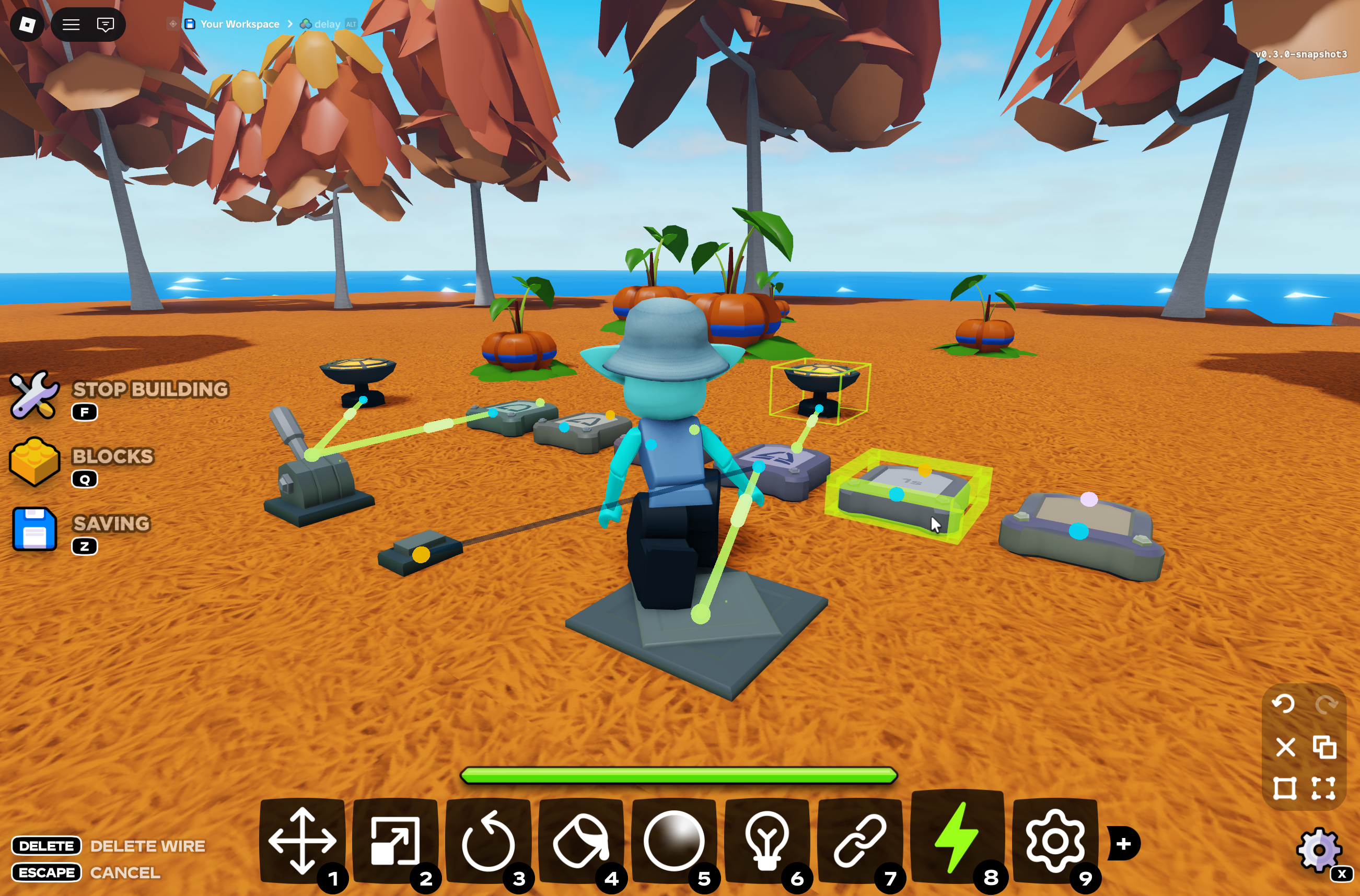

after a long wait (and even longer wait for veteran islanders) snapshot 3 is out now, and with it – wiring. there’s a lot more i have to say, but for now rest assured it is now in scope for little islands 2’s release. it’s not perfect yet, but it will be! i hope you enjoy
this is still an experimental build, so be aware that things will likely break, explode, and bug out. please report any feedback to #li2-feedback on discord – i will be watching closely for fixes, thank you!
new features
- added the wiring tool
- connect a block’s output to another block’s input
- wires are only visible while the tool is equipped
- powered wires display power from source to target
- manipulate constraints and lights using setter blocks
- added five logic gates (any number of inputs)
- AND
- OR
- NOT
- XOR
- DELAY (0.05 – 60 seconds)
- added four interactable components
- lever (right or left click to flip)
- button (clicky click, adjustable pulse length)
- pressure plate (adjustable radius, triggered by players or… anything!)
- lamp (adjustable on/off – color, range, and brightness. serves as a ready-made light)
- added the setter block
- wire to groups of constraints or lights to set properties when triggered
- use two setters to switch something on and off!
- wires and setter bindings save & load with your build
- copying blocks keeps the wires between them
- interactable components (levers, buttons) now show an outline when you hover in range
- powered blocks emit energy particles
- components can now be unanchored and welded to other blocks
- they move as one piece, so you can bolt them onto vehicles
- levers and buttons still animate while unanchored
building
- added keybind hint bars to show what you can press with the tool you’re holding
- added material eyedropper to material tool
- reworked tool keybinds under the hood
- toolbox
- tool icons are now tinted by tool color, lighting up on hover (QoL)
- your hotbar layout now saves between sessions (finally)
- stamper
- reworked grid snapping – blocks now snap to the grid of the surface you’re placing on, including rotated parts
- small blocks now land in the center of a grid cell instead of the corner
- various bug fixes
- dragging a welded part no longer makes attached unanchored parts fall until you let go
- fixed bug where dragging a part always grabbed it by its bottom face
- fixed being able to resize a component that’s inside a selected group
saves
- you can now rename save files (click the file name to edit)
- saving now shows a saving bar like loading
- saves menu now dims and blurs the background (QoL)
items
- added test pumpkins (“harvestable”)

- fixed bug where picking up an item twice quickly could count it twice
misc
- collisions of walls and ground are now accurately detected while diving underwater instead of clipping through them
- fixed item icons not showing in the hotbar/backpack
- fixed item icons rendering dark in the hotbar/backpack
Leave a Reply